How to choose the right CMS for a new website
The key questions to help you pick the right platform for your organisation’s new website

Lori Hosseinbucus is a developer at William Joseph who is passionate about creating accessible websites
Choosing a CMS (content management system) can feel overwhelming. It often feels like your website’s success depends on making the right decision.
Answering the following questions can help you decide what platform is right for your website.
- What kind of website do you need?
- Do you need custom features?
- Who is building the website?
- How much setup and maintenance can you do?
- How future-proof is it?
- How popular is the CMS?
Let’s go through your options based on your answers.
What kind of website do you need?
There are many kinds of websites, but for this guide, I’ve grouped them into three types: brochure, content-heavy and e-commerce.
Brochure website
A brochure website replaces (or works alongside) a printed brochure. These websites have a handful of pages to introduce your products or services.
If you’re creating a small site, you could choose a no-code solution.
- Website builders like Squarespace and Wix have pre-designed templates.
- WordPress can be used with a pre-made template and Gutenberg blocks or a page builder plugin like Elementor, Divi or WPBakery.
These options give you full control over the layout of your pages with a WYSIWYG (what you see is what you get) editor. Here are a few things to keep in mind when using this kind of editor.
- There is a learning curve to using the UI (user interface).
- Full control means you can accidentally break the layout.
- Making choices like changing the fonts and colours requires design knowledge (including how to make the content accessible).

Content-heavy website
A no-code solution is rarely suitable for a content-heavy website like a knowledge base. If you’re building a standard blog, you may be able to use WordPress with a pre-made theme. But in most cases, you will need a custom website.
At William Joseph, we start the website project process with a discovery phase to learn about your audience, move to defining your solution, then design, and then build, with ongoing support after the launch.

Before we start working with the CMS, we create a custom content model and design system to keep the website’s pages consistent and accessible. The developer then builds the website according to these designs.
The developer will set up the page editor in the CMS using custom fields. When using WordPress, we can use custom fields by installing the ACF Pro (Advanced Custom Fields) plugin. A platform that works in this way by default is Craft CMS.
When using custom fields, it is up to the person setting up the website to make the page editor intuitive and easy for you to use.
WordPress and Craft CMS are very similar when used with custom content fields. If you’d like to know more, I have written a separate post comparing WordPress and Craft CMS.


E-commerce website
If you sell a lot of products and/or options, use a specialist e-commerce CMS like Magento or Shopify.
If you only have a few products but quite a lot of other website content, use a plugin like WooCommerce or Craft Commerce for your shop.
Do you need custom features?
If you offer digital services, you may need your website to have custom features.
We’ve already covered e-commerce websites and content-heavy sites, so this section is for other types of digital services. For example, you may need a website that allows someone to fill in an application form.
Flexible, open-source solutions like WordPress or Craft CMS have plugins available, and a developer can build you a custom one.
If your website-builder provider’s plan includes hosting and maintenance like Squarespace and Wix do, you do not usually have access to the code.
As you do not have access to the code, the platform will need to offer everything you need, because you will not be able to expand the features they offer.

Who is building the website?
Now that we’ve looked at website types, let’s narrow your choice by considering who will build the website.
If you are hiring a person or team to build your website, they will have a preferred CMS that suits their skills, process and objectives. For example:
- If you hire an SEO copywriter, they need to be able to add metadata and structured content that includes things like heading tags (H1, H2, etc.).
- If a designer is building your website, they will probably use a no-code visual builder.
- If you hire an agency with multiple specialists, they will need a CMS that allows them to set up the website according to their designs and allows you to easily manage the content.
Whoever builds your website, their experience with their preferred CMS will make the process faster and more cost-effective, because they will already have:
- hands-on experience with the features and codebase
- research on available plugins
- a boilerplate that already includes a basic setup and their favourite frameworks
- a library of other websites that they can potentially take elements from
At William Joseph, we have used Craft CMS for many charities, foundations and other organisations. It is now our go-to option for these kinds of websites.

How much setup and maintenance can you do?
Craft CMS, WordPress and Magento are open source, which means you can use and modify the files as much as you want.
You usually download the CMS files and then pay a hosting company to store your files and database on their server (the version of WordPress that works in this way is available from WordPress.org).
This means you own all the code and are responsible for setting up the website and maintaining it.
- When setting the website up, you are responsible for security, performance and accessibility.
- Website maintenance includes updating the CMS, plugins, PHP version and SSL certificate.
Providers like Squarespace, Wix, Shopify and WordPress.com charge a recurring fee to handle the hosting, setup and maintenance for you.
How future-proof is it?
It is very rare that a CMS disappears or becomes unusable. However, there was a CMS provider that massively increased its licence fee after rebranding itself as a marketing platform (to tens of thousands of pounds a year).
Developers have a habit of abandoning plugins, but the ones that stop being maintained tend to be the free ones.
Choose providers that have been around for a long time and are stable. All the CMS providers I’ve mentioned so far were established more than ten years ago (Squarespace, Wix, Magento, Shopify, WordPress and Craft CMS).
Choose flexibility
There are Craft CMS websites that William Joseph built in 2017 that are still in use.
We have installed updates and made changes to them since then, so the website has evolved with the organisation.
WordPress with custom fields offers a similar level of flexibility.
Flexibility comes with downsides
The flexibility of WordPress and Craft has a downside, though. Because there is no clear path to take, everyone does it differently. For this reason, make sure the agency building your website is stable, so they can maintain your website and add new features.
If you swap agencies, your new provider may well want to rebuild the site. This is still the case when it uses their preferred CMS, because it will be set up in a different way.
I will always repress the urge to rebuild an inherited site if it follows best practices. But in my experience as a developer, it’s always harder to work on and maintain a site that was built by a different agency.
How popular is the CMS?
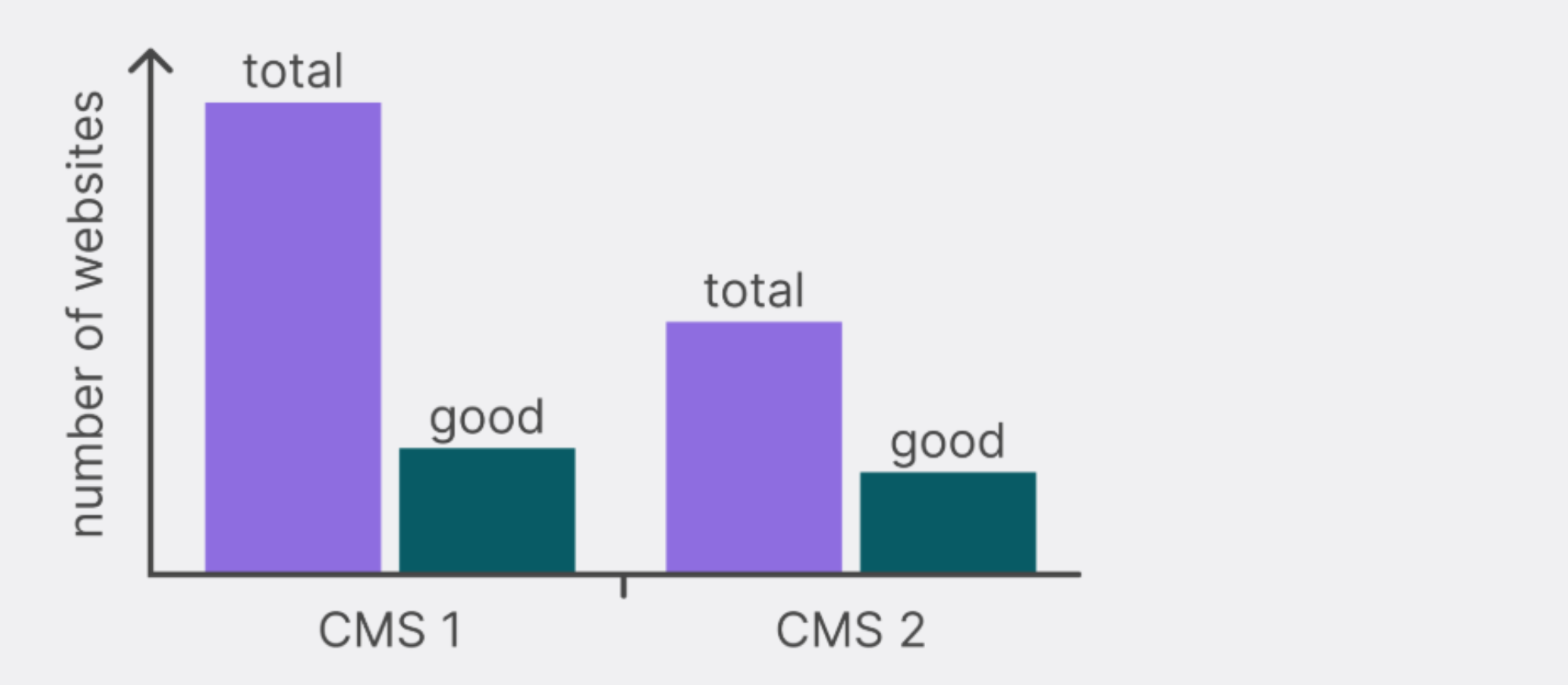
There is a misconception that the more popular a CMS is, the better. But usage charts do not tell us how many of the websites that use that CMS are useful or usable.
Many platforms are popular because they have a low barrier to entry. For example, like most developers, the first website I built using a CMS was a WordPress website – it was not what I’d now consider to be a “good website”.
When CMS assessing popularity, look for:
- a growing community of users who share guidance
- enough income for the product owner to maintain the code and provide support
Use these criteria when choosing plugins too.
Summary
In summary, some CMS platforms are more suitable for certain types of websites.
- No-code solutions are for people with website design skills to set up a brochure website.
- Custom content fields and templates allow the website to be built according to your content model and design system.
- E-commerce platforms should be used to sell a lot of products or options.
- Open source platforms allow for for custom features or plugins.
Beyond that, the success of your website relies more on how the CMS is set up than on the specific CMS it uses.
It is up to the person or team setting up your website to create a good user experience for the website’s visitors and the CMS users (i.e. authors or editors).
Choose the right delivery partner and get them to use the tools they know best. Their experience with their preferred CMS will make the process faster and more cost-effective.